
Built by Chefs. Designed for Profit.
Better Menus. Smarter Costing. Stronger Profits.
MenuForge is the AI kitchen management platform that connects suppliers, ingredients, recipes, menus and stock in one place.
The chef or manager keeps daily activity up to date, and MenuForge uses that information to calculate stock, flag problems and prompt the next action.
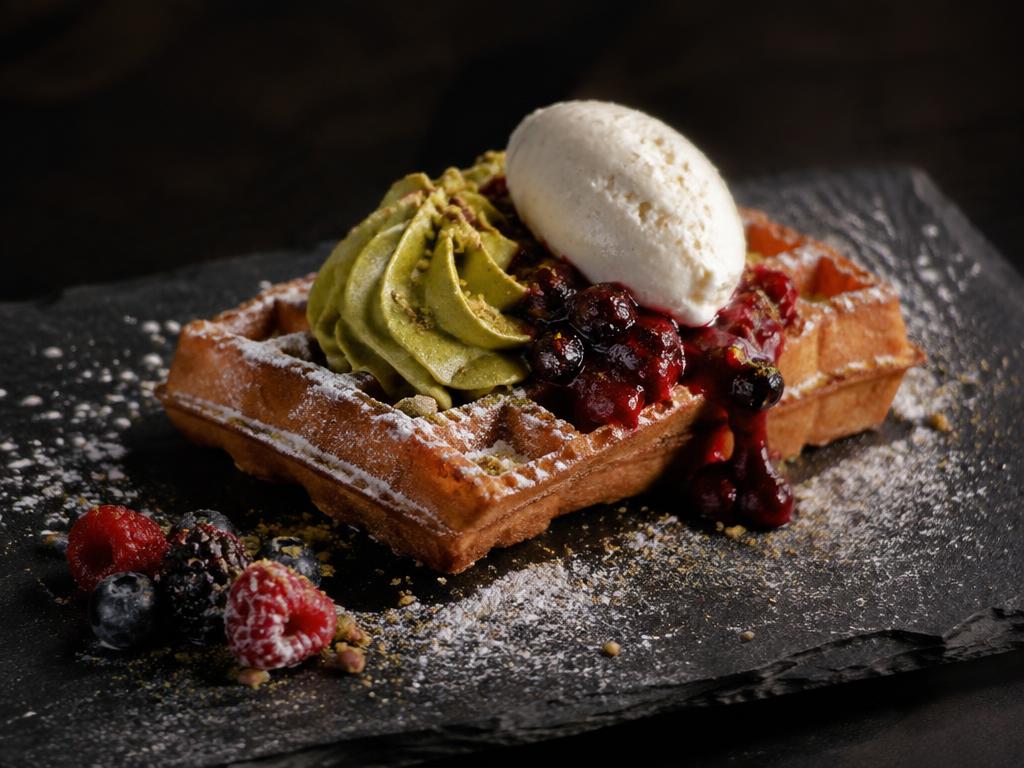
Pistachio Waffle
Brunch · Yield 1 portion
Cost
£2.01
Sell (inc VAT)
£9.50
GP
74.6%
BUILT BY CHEFS | DESIGNED FOR HOSPITALITY | FOCUSED ON PROFITABILITY
The problem we solve
Great Food Deserves Better Numbers.
Many hospitality businesses still manage recipes, supplier prices and food costings across multiple spreadsheets. When ingredient prices change, menu profitability can quickly become difficult to track. MenuForge brings these processes together in one organised platform.
Stop Guessing Your Costs
Understand the true ingredient cost of every recipe.
Build Menus with Confidence
Develop dishes, portions and selling prices in one place.
Keep Supplier Prices Organised
Manage products, suppliers and updated ingredient costs.
Make Smarter Menu Decisions
Use menu engineering insights to identify opportunities for improved profitability.
Inside MenuForge
One workspace, from recipe to menu.
Recipe Builder
Build recipes from your ingredient library. MenuForge works out the cost of every portion, food cost percentage and gross profit as you go.
Pistachio Waffle
Brunch · Yield 1 portion
Cost
£2.01
Sell (inc VAT)
£9.50
GP
74.6%
How MenuForge works
Four steps to a profitable menu.
- 01
Add Your Ingredients
Build your ingredient library and import supplier products and prices.
- 02
Develop Your Recipes
Create recipes, define quantities, portions and ingredient requirements.
- 03
Build Your Menu
Combine recipes into menus and calculate recommended selling prices and gross profit margins.
- 04
Analyse & Refine
Review menu profitability, identify opportunities and adjust your menu as supplier costs change.
Frequently asked questions
What is MenuForge?+
MenuForge is a chef-built platform for recipe development, ingredient costing, supplier price management and menu engineering, all in one workspace.
Who is MenuForge designed for?+
Independent restaurants, cafés, hotels, pubs, professional chefs, caterers and hospitality consultants who want accurate costings without juggling spreadsheets.
Can I import supplier prices?+
Yes. You can import supplier product lists from spreadsheets, then review products, pack sizes and prices and link them to your ingredients.
Does MenuForge calculate recipe costs?+
Yes. Recipe costs are calculated from the quantities and ingredient prices you use, with food cost percentage and gross profit shown against your selling price.
Can I build complete menus?+
Yes. You can combine recipes into menus with categories and selling prices, and review the costing and GP of each dish.
Can I export my recipes and costings?+
Yes. MenuForge supports Excel and CSV exports for costings and reports, and printable PDF recipe cards and recipe books.
Does MenuForge help with stock?+
Yes. MenuForge is an AI kitchen management platform that connects suppliers, ingredients, recipes, menus and stock in one place. You keep daily activity up to date and MenuForge uses that information to calculate stock, flag problems and prompt the next action.
Do I need professional culinary experience to use it?+
No. MenuForge is designed by a chef, but the workflow is straightforward for owners, managers and kitchen teams of any level.
How do I arrange a demonstration?+
Use the Book a Demo page to send your details and we'll be in touch to arrange a time that suits you.
See MenuForge in Action
Book a personalised demonstration and explore how the platform could work for your kitchen.